Unanswered messages and emails. Looming deadlines. Infinite notifications. Days of backlog to meet up with.
A contemporary work surroundings actually encourages excellence, exhausting work, perseverance, and distinctive contributions. It depends on teamwork, creativity, and all the time being “on” for the sake of collaborating on brand-new, distinctive options.
However, because it seems, dozens of apps, instruments, and platforms throughout a number of units results in burnout for managers and their groups, and enormous, distributed firms find yourself struggling essentially the most.
In different phrases, you need to hold doing the very best work you may, however you’re drowning in too many disparate collaboration instruments. There’s an answer: an enterprise collaboration strategy that allows you to handle tasks, share data, collaborate in actual time, and foster a contented working surroundings .
This information will take you thru enterprise collaboration techniques, platforms, and essentially the most environment friendly solution to implement them at your organization.
What Is Enterprise Collaboration?
Enterprise collaboration is a system for communication, collaboration, challenge administration, and data sharing amongst workers in massive firms, no matter their location.
It’s what makes it simple for groups to work collectively towards desired objectives and outcomes with out obstacles, silos, or purple tape. It quickens the best way issues get carried out.
For instance, as a substitute of coworkers calling or emailing one another to outline a challenge timeline, they will lean on a challenge administration device to debate and set deadlines and milestones. And as a substitute of delivering a doc by hand or over e-mail, teammates can use a file-sharing system to take action extra effectively.
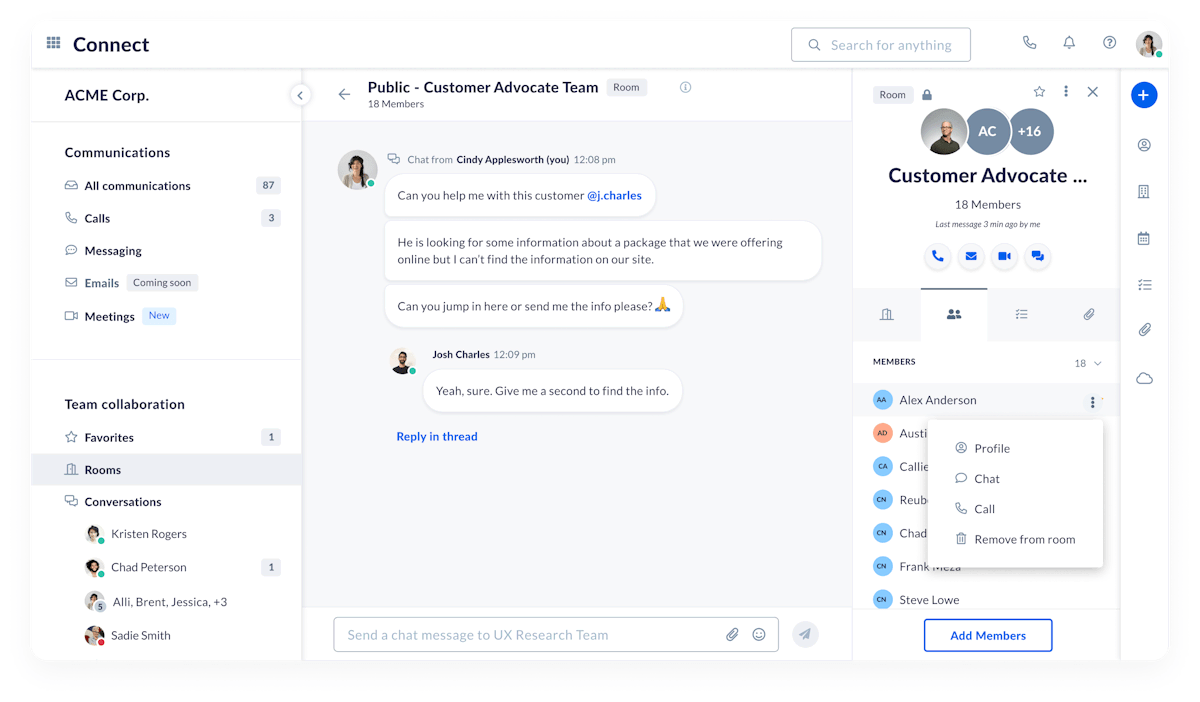
Enterprise collaboration streamlines your online business processes by embedding them into your tech stack — and it really works for every type of huge organizations, together with trendy workplaces that need to benefit from hybrid or distant work.
Advantages of enterprise collaboration embrace:
- Improved data sharing and information switch: Data sharing — together with challenge particulars, buyer information, and proper file variations — works easily as a result of there’s a system in place that simply strikes data from one particular person to a different.
- Enhanced teamwork and challenge administration: Any work that should get carried out has clear deliverables, timelines, dependencies, and expectations, so group members can’t solely brainstorm collectively but additionally amplify one another’s work (somewhat than hinder it).
- Elevated productiveness and effectivity: There’s no higher solution to enhance productiveness than making paperwork, challenge briefs, cross-team conversations, and wealthy context all the time out there. This fashion, everybody can do their finest work — and quick.
- Boosted worker engagement and morale: Unsurprisingly, when folks get the precise techniques and situations to assist their environment friendly, impactful work, they’re happier at work and really feel motivated to maintain displaying up as their finest selves.
What Techniques Make Up Enterprise Collaboration?
Excellent collaboration in massive firms depends on much more than implementing enterprise collaboration software program and calling it a day. Listed below are the techniques you’ll need to put in place:
Clear communication tips
Having clear protocols on how and when to make use of particular communication channels is the muse of an enterprise collaboration system. It units clear expectations and prevents miscommunication, delays, confusion, and frustration.
What requires a telephone or video name? What’s preferrred for a fast Slack chat versus an extended e-mail? Communication tips are successfully directions for every inside communication channel that embrace:
- Communication strategies — like textual content, audio, and digital conferences.
- Use circumstances — for instance, day-to-day check-ins or project-related chats.
- Anticipated response instances — like by finish of day or inside 48 hours.
- Urgency ranges — or what can wait vs. what has quick influence.
Right here’s an instance of tips that streamline communication and outline clear guardrails for every channel:
| Channel | Communication Strategies | Use Circumstances | Anticipated Response Instances |
|---|---|---|---|
| Textual content Pre-recorded video (e.g., Loom) |
Routine requests | Inside 24 hours | |
| Staff chat (Slack, Groups) | Textual content | Socializing Every day check-ins |
By finish of day |
| Name | Video or audio | Complicated challenge discussions Relationship-building |
ASAP |
| Textual content message | Textual content message (SMS) | Pressing requests | ASAP |
Cross-departmental collaboration
True enterprise collaboration occurs on a much bigger scale than simply inside every group. In actual fact, its strongest benefit is the power to interrupt down silos. This fashion, everybody can work towards total firm objectives somewhat than simply remoted group objectives.
Cross-departmental collaboration is how initiative, talent, creativity, and distinctive downside fixing come collectively. Collaborative tasks make an organization as a complete larger than the sum of its elements. It’s how groups compound their efforts to create outcomes they couldn’t have achieved on their very own.
For instance, a advertising and marketing marketing campaign can contain a paid advertisements group, a content material group, and a group of designers. As an alternative of every grabbing the preliminary transient and working with it in their very own silo, a greater strategy is to foster collaboration by check-ins, progress updates, contributions, and customary milestones.
As an alternative of iterating as soon as everybody completes their work, there’s room for early iteration — and a greater remaining end result.
Common suggestions loops
No firm’s communication system is ideal from the bounce, and, in a big firm like yours, the problem is even larger.
That’s why it’s value establishing recurring, always-on suggestions loops that permit workers share their ideas and experiences with communication and collaboration. The objective is to be taught the place they run into bottlenecks and hurdles that hold them from working effectively and delivering their finest work.
Entry to common suggestions loops may also nurture worker engagement and satisfaction, encourage their growth and progress, and foster a tradition of innovation, concepts, and inclusion.
Some methods you may embed suggestions loops into your collaboration system embrace:
- Surveys — each always-open and for particular use circumstances and durations
- City halls — on-line and/or in particular person
- Suggestion bins — on-line and/or within the workplace
- Recurring one-on-one conferences — between managers and their group members
“Open door” tradition
To prime off common suggestions loops, create the final word sense of transparency by encouraging workers of all ranges to lift communication-specific points or concepts.
Which means every supervisor and chief make themselves out there to listen to considerations and factors of battle on the subject of communication and collaboration.
Not solely will you cut back and stop frustration with communication gaps, however you’ll additionally foster belief, strengthen teamwork, show transparency, and construct a way of mutual respect. This helps the larger good of all workers and the corporate as a complete.
Recognition of collaboration leaders
Whether or not you’re an enterprise collaboration beginner or searching for methods to enhance after months or years of implementing it, one factor’s true: there’s no company-wide collaboration with out folks on the bottom that act as collaboration champions and promoters.
When an worker facilitates efficient, streamlined communication and teamwork, it’s best to spotlight and reward it.
This can present different group members, in addition to different departments, how these collaboration efforts assist the tip objective. Not simply that: it’s going to additionally encourage others to do the identical for his or her respective groups and people groups they usually work with.
15 Enterprise Collaboration Platforms to Discover
Prepared to judge enterprise collaboration instruments and apps? Listed below are the core platform varieties to remember and the functionalities you’ll want.
Doc sharing and collaboration platforms
For those who’ve ever had to determine which file model is the latest (who hasn’t?), you already know the advantages of a document-sharing platform.
It’s the way you’ll know there aren’t any randomly up to date recordsdata saved on somebody’s native drive — all of it lives in the identical place, out there for any stakeholder to entry the latest file model at any time when they want it. File-sharing platforms are additionally collaboration platforms, which means you may all work on the identical doc and monitor modifications in actual time with out overriding another person’s exhausting work.
When selecting a document-sharing and collaboration platform, think about the next:
- Google Workspace is arguably the best-known file-sharing platform for companies and people, which makes it simple to implement and undertake. Its strongest benefit is the convenience of navigation and collaboration in its subproducts, resembling Google Drive and Google Docs.
- Dropbox Enterprise is a cloud storage resolution that allows you to share, sync, and collaborate on recordsdata securely, together with computer systems, cellular units, and any internet browser. Dropbox is nice for every type of codecs, together with modifying PDFs and movies.
- OneDrive for Enterprise is one other well-known file sharing and collaboration platform. Its enterprise model provides in-depth model and permission management and integrates with inside communication options.
Communication and collaboration platforms
The place does your real-time communication — prompt messaging, video conferencing and calls, and social networking — truly happen?
For those who go away issues to likelihood, some workers will go for SMS and Facetime, whereas others may favor WhatsApp texts and video calls.
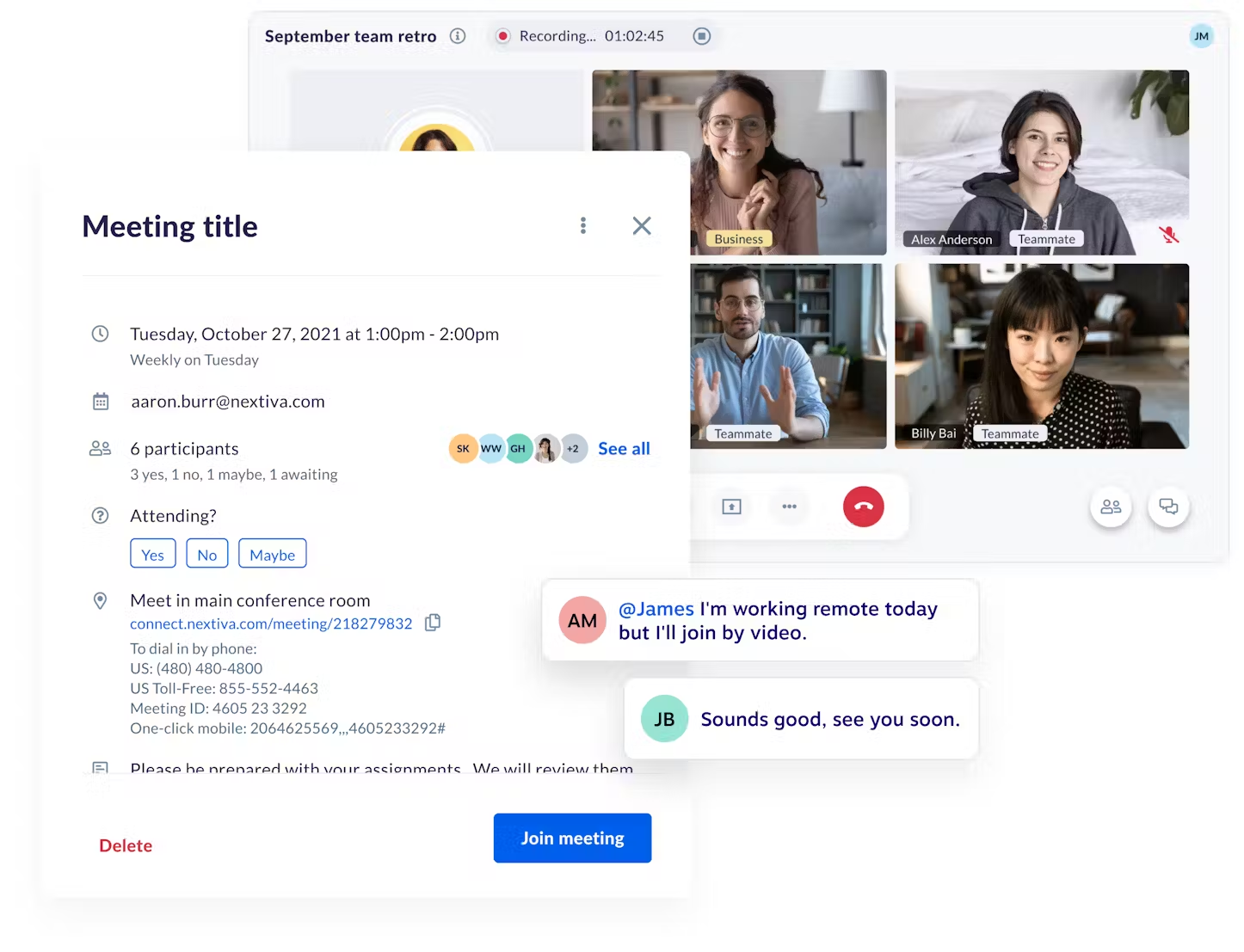
Efficient collaboration depends on communication instruments that everybody will default to. It’s the place they are often certain they’ll all the time discover the precise particular person or discover a solution to their query. As an alternative of losing time and vitality to search out and select the precise possibility, folks can bounce proper into group collaboration.
Listed below are your finest bets for communication and collaboration platforms:
- Nextiva is a linked communications platform that brings groups collectively. It really works out of the field with each machine you utilize for work and provides you calls, texts, video conferencing, group chat, and file sharing. It’s made for distant, hybrid, and in-office groups that crave highly effective options which can be easy to make use of.
- Slack is a web based collaboration device for distant groups. You should use it to speak over textual content messages, video, and voice calls, in addition to group chats. File sharing and integrations are included.
- Microsoft Groups is Microsoft’s group collaboration app. It merges office chat with conferences, file storage, and third-party integrations and is made for each inside and exterior communication.
Challenge administration instruments
Regardless of the dimensions of your online business, process administration is how issues get carried out. And for that, you want a device that may allow you to outline tasks and their timelines, break them down into duties, control deadlines, assign and delegate duties, and handle dependencies between them.
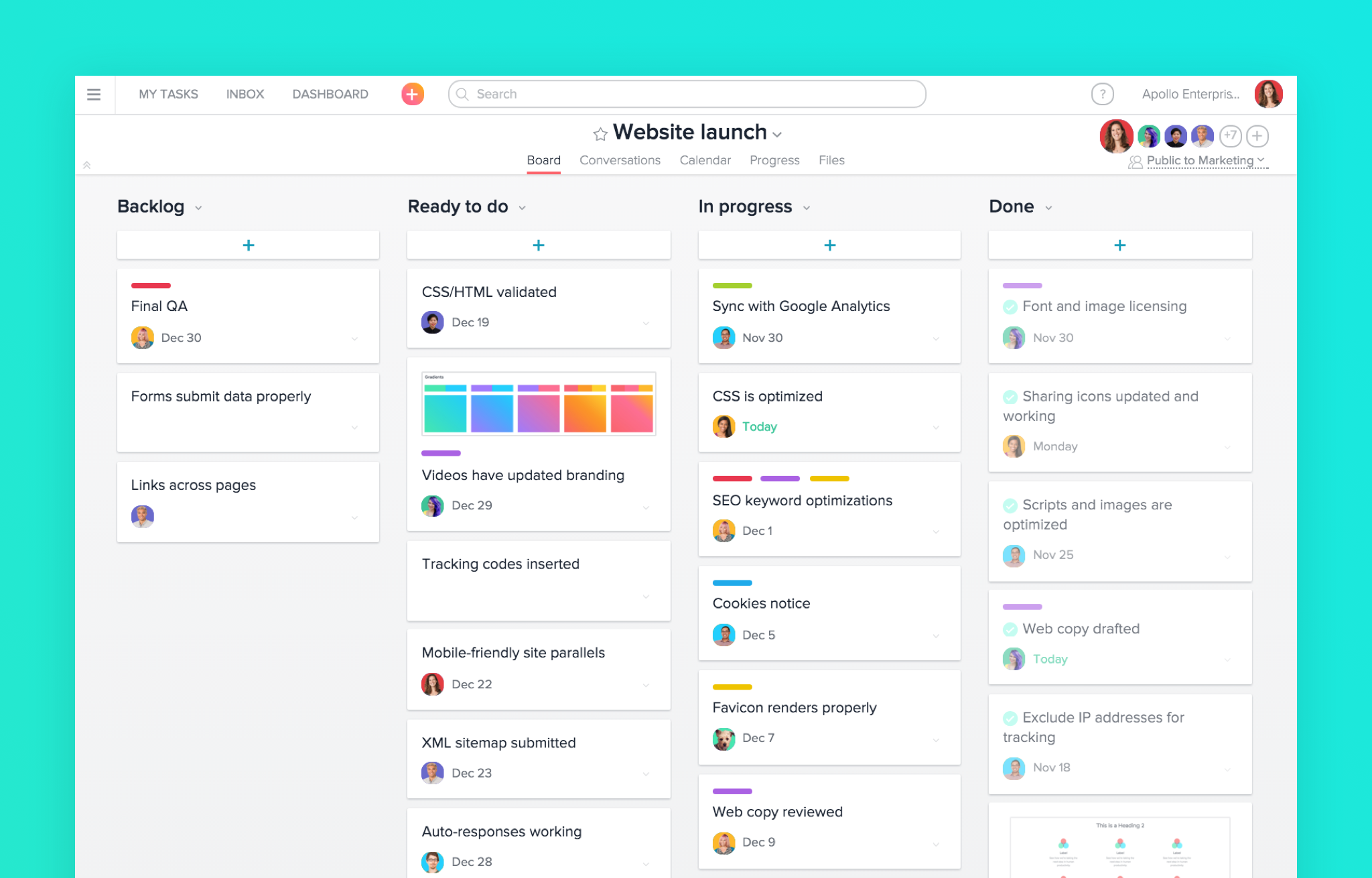
Make sure that the device you select enables you to customise dashboards and views, like calendars or Kanban boards, and simply add project-specific recordsdata, feedback, and context.
Think about these challenge administration instruments:
- Asana is flexible, user-friendly, and enterprise-ready challenge administration software program. It makes it simple to not solely construct tasks and set deadlines but additionally to arrange automations and customized guidelines to cut back tedious, repetitive work.
- Monday.com is a challenge administration device for giant organizations craving professional options. It provides superior time monitoring and collaboration options, in addition to premium integrations, superior reporting, and efficiency insights.
- ClickUp is a security-oriented challenge administration platform. Its HIPAA and GDPR compliance means you may monitor tasks that embrace delicate information throughout groups and places with out the concern of compromise.
Enterprise serps
Enterprise search software program enables you to discover the precise piece of knowledge once you want it. It may be saved in databases, paperwork, web sites, apps, your intranet, and extra.
For productiveness’s sake, the search course of and retrieval of the precise search outcomes must occur easily and in mere moments, which is what makes your enterprise search engine a core constructing block of collaboration and environment friendly work.
These are a few of the finest choices for enterprise serps:
- Glean is a dynamic, AI-powered enterprise search resolution. It makes use of cues of context, habits, and language to supply essentially the most related and personalised outcomes, priding itself on ease of integration into your techniques.
- Guru is a system to search out data throughout any app you utilize. It may well additionally discover information gaps and even duplicate information for simpler data administration. Guru combines enterprise AI search, intranet, and an organization wiki in a single platform.
- AlphaSense is a market intelligence platform for giant firms and monetary establishments. Its AI resolution indexes and searches by private and non-private content material to energy your decision-making course of.
Intranets
Your intranet is your organization’s personal library of knowledge and sources. It consists of coaching sources, firm workflows and processes, updates and bulletins, insurance policies, organizational construction, a listing of workers, and extra.
A well-managed intranet provides each worker readability and some extent of reference. It helps workers excel at their jobs. It’s exhausting to think about an organization that doesn’t want an intranet, however these working throughout a number of places, time zones, shifts, and dealing kinds want it essentially the most.
To construct an accessible hub of firm information and sources, you should utilize any of the next:
- Confluence is an Intranet portal for information sharing. It comes with templates for various use circumstances and privateness controls that hold your information protected. You possibly can combine Confluence with hundreds of third-party apps.
- Blink is an intranet resolution for front-line employees. It’s user-friendly and addresses the precise wants and challenges of front-line and key employees, with content material, conversations, and contacts out there with a single faucet. It’s preferrred for on-the-go workers.
- Simpplr is a social intranet software program resolution. It’s a contemporary device for enterprise organizations that need to enhance worker engagement and communication, also known as “Instagram for the office.”
How Unified Communications Advance Enterprise Collaboration
An enterprise collaboration technique is layered and is sort of an endeavor.
However there’s an answer that completely matches the complexities of communication amongst dozens of places and lots of or hundreds of workers: unified communications.
Unified communications — and, by extension, unified communications as a service (UCaaS) — merges internet-based telephone with real-time comms and collaboration right into a full-featured communications platform.
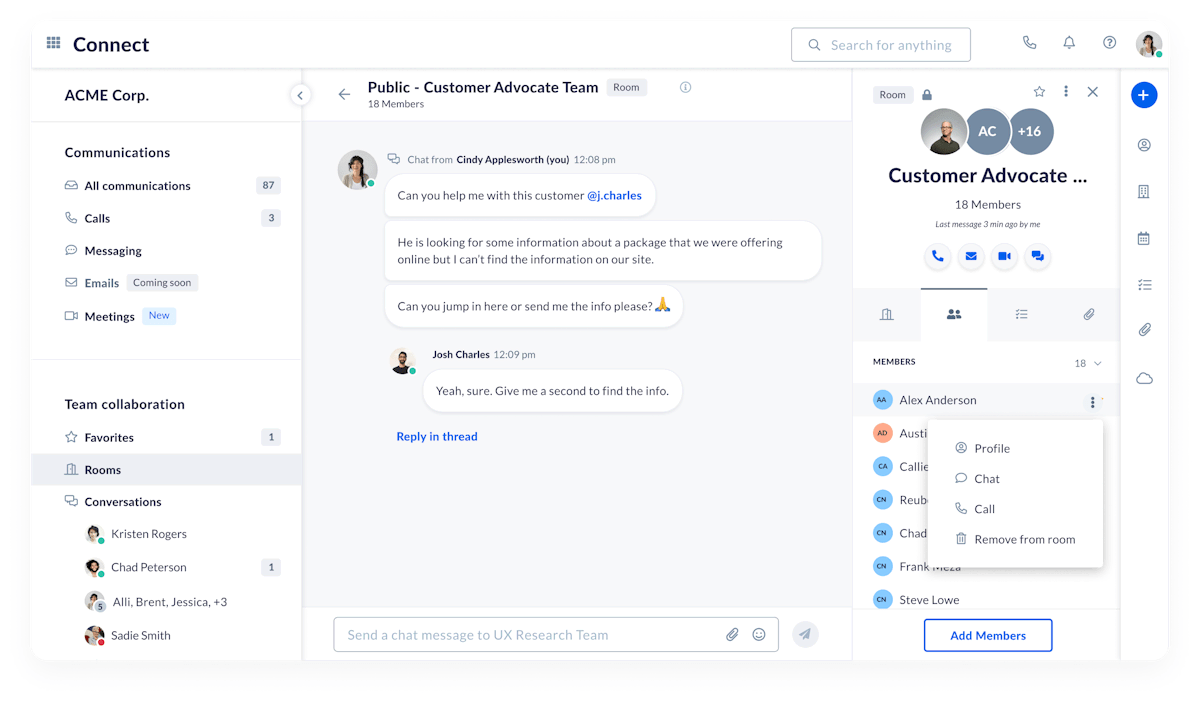
It’s how workers can do every little thing from nailing inside tasks to providing incredible buyer assist from a single platform regardless of the place they work from.
Advantages to enterprises
There are 5 core advantages ready for you on the opposite facet of embracing unified communications.
Streamlined communication
Take into consideration this grueling situation:
You attain out to a colleague over Slack to ask them about a difficulty you’re dealing with. They reply to you on WhatsApp as they commute to a gathering and ask you to e-mail over the file you’re battling. After you try this, they name you in your workplace telephone to debate doable options.
Every week goes by, and also you’re working in circles looking for something resembling a full dialog concerning the difficulty you had.
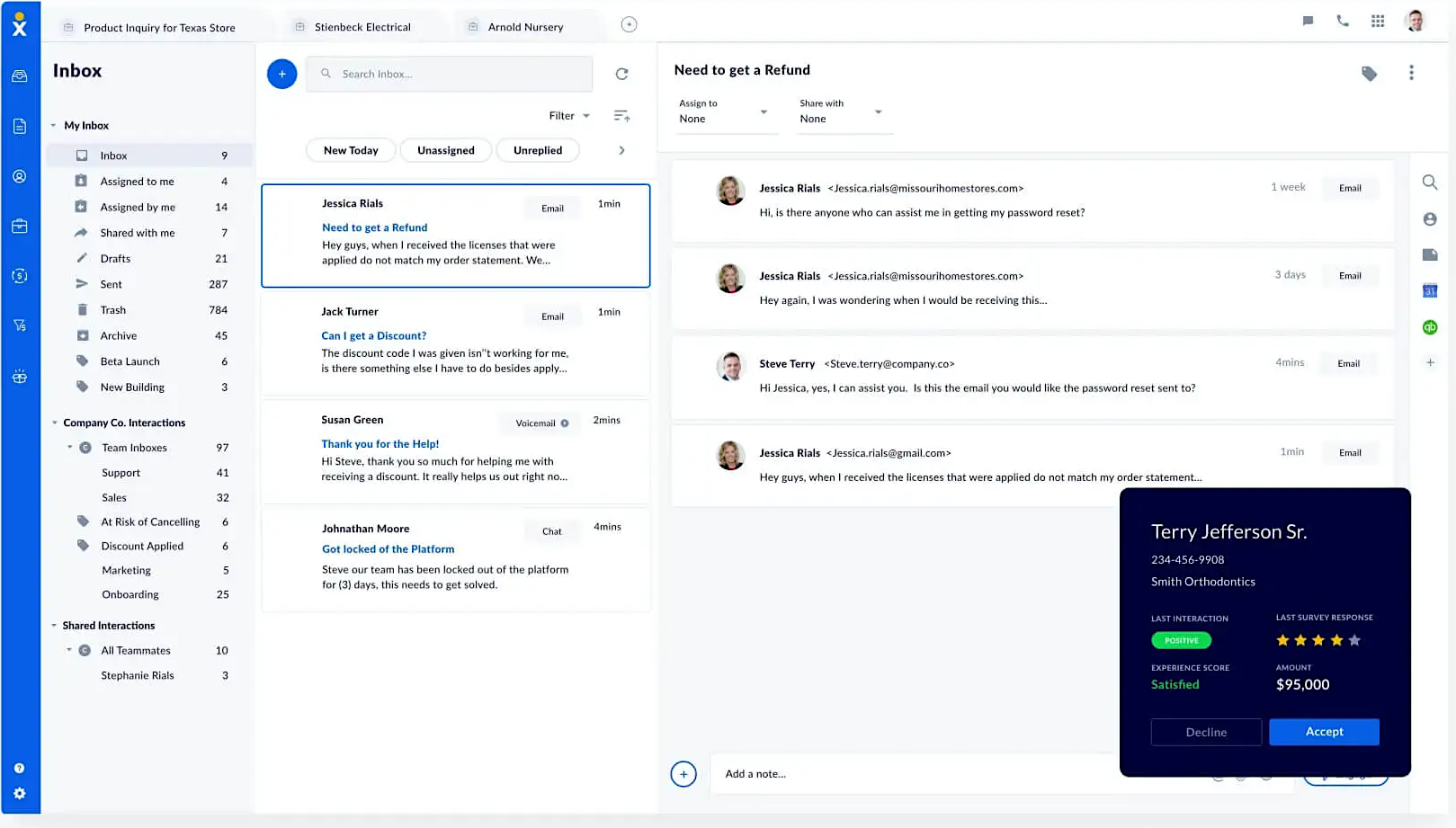
There’s a greater method: a unified communications platform that mixes chat, voice, video, and file sharing so you may immediately achieve full insights into any process, challenge, or difficulty you labored on.
Improved collaboration
If you break down communication silos and produce tasks, recordsdata, and messages to a single platform, you additionally take away obstacles to teamwork and progress.
As an alternative of recurring, “Are you able to remind me the place to search out that doc?” or, “What are you engaged on this week once more?” check-ins, you’ll release workers’ psychological capacities for real-time interplay, contributions, and progress.
Enhanced productiveness
Worker focus is valuable. Latest analysis discovered that toggling between apps and tabs, aka context switching, prices employees round 4 hours per week or round 9% of their annual time at work.
The larger your organization, the extra expensive that loss turns into. Scale back the time spent trying to find the precise piece of knowledge, the precise particular person, or the total context by unifying your communication and collaboration toolkit.
Elevated accessibility
Managing worker entry to the precise techniques is difficult even once you’re all in a single location. Add to that distant work or workers who often journey, and also you’re sure to earn a headache or two — weekly.
Unified communications provides you quick access and permission administration for workers it doesn’t matter what location they’re in or the machine they’re working from. With UCaaS, even their smartphone turns into an influence device for no matter they’re engaged on.

Decreased prices
Most UCaaS options exchange a number of enterprise apps you pay for. Take into consideration the value you pay each quarter or yr for group chat, challenge administration, helpdesk, and enterprise telephones.
Consolidate your communication platforms with simplified UCaaS pricing — normally per consumer per 30 days, with sensible tiers and improve/downgrade choices out there at each billing cycle.
Key Options
Right here’s the UCaaS options that make this the best route on your enterprise collaboration:
- Unified interface: No extra leaping between a dozen desktop instruments, cellular apps, and browser tabs. Log right into a single platform and dashboard each single day to satisfy all of your communication and collaboration wants.
- Presence administration: Questioning if an individual is on-line? What’s their time zone? What about their working hours or availability for a video name to resolve a fancy downside? UCaaS enables you to view the supply of your colleagues for any sort of communication you want at that second.
- Seamless integration: Wish to hold utilizing your CRM, helpdesk, and digital calendar — and accomplish that easily? Unified communications options combine with the likes of Salesforce, Zendesk, Google Calendar, and lots of extra so you may work uninterrupted.
- Mobility options: Work from wherever you need. Your desk pc and your official telephone are now not the bottom — your base turns into wherever you’ve gotten a cellular machine and secure web entry. Run conferences, share recordsdata, and make selections all over the place.
For a Unified Collaboration Expertise, Go With Nextiva
Backside line? Your massive firm, massive groups, and enormous objectives want a bulletproof solution to collaborate and talk. With out it, you’re on a path to burning your workers out and lacking out on progress alternatives.
Your finest wager is UCaaS, the final word method so as to add pace, streamlined workflows, and highly effective collaboration to the best way you get issues carried out. Our suggestion, in fact, is Nextiva.
Take it from Tricoci, a high-end cosmetics firm with over 1,300 workers and 200,000 prospects per yr. Tricoci makes use of Nextiva to handle all inside and buyer communications, together with as much as 3,000 calls a day, day by day conferences and conferences, a completely practical name middle, and fast entry to places and salons in case of any points.
UCaaS will take your digital office to the following stage. Nextiva made it occur for 100,000+ groups already. Wish to be sure that UCaaS is correct on your use case and sort of firm? Take our unified communications readiness quiz to search out out.
The decision middle resolution groups love.
Gross sales and assist groups use Nextiva to ship a greater buyer expertise.